
Frequently asked questions
Quick answers to the questions students and teachers ask most about Total JC Business Hub.
Most asked
Getting startedHow do I join my teacher's class?
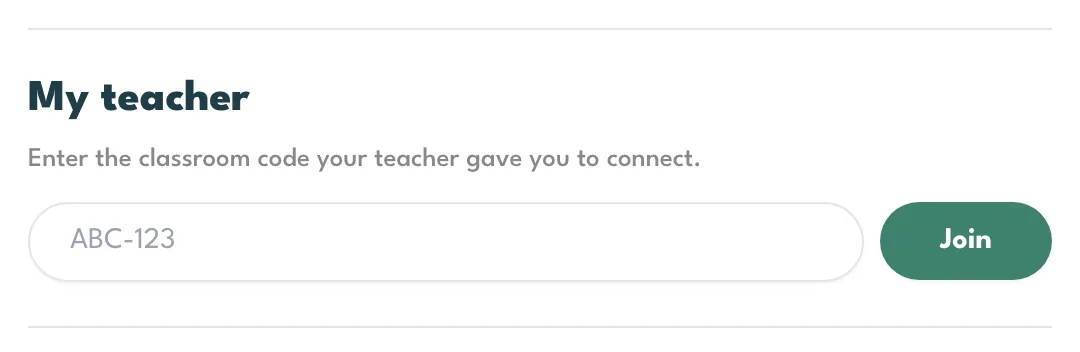
Your teacher has a short code, in the form ABC-123. Enter it on the Join your class card on your dashboard, or under Settings, and you are connected. You only do it once.
It has to be a Total JC Business Hub code. A code from a different hub will not work here.
Getting startedCan I be in two classes at once?
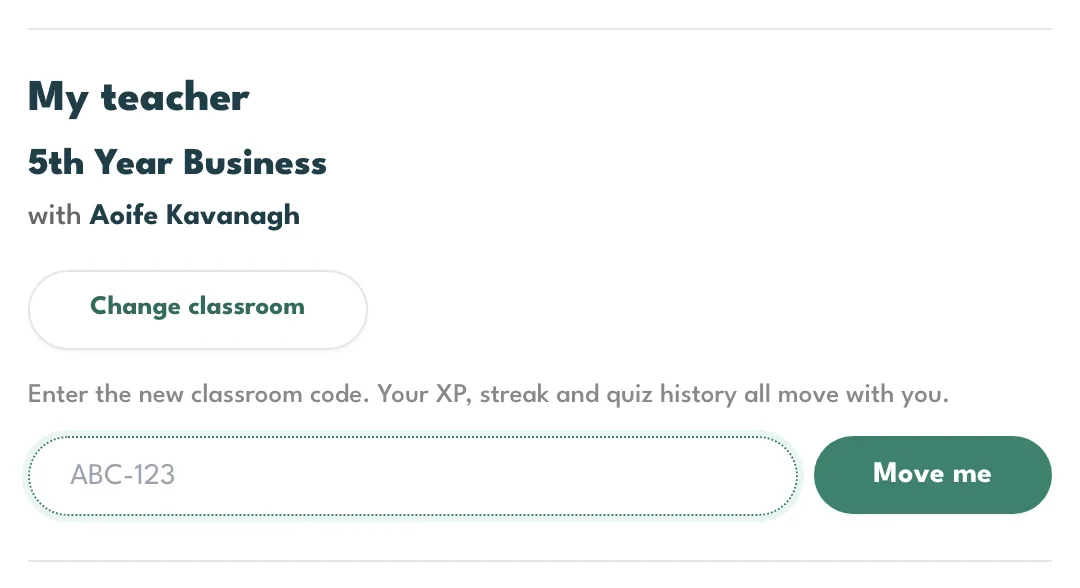
Not on the same hub. You are in one class at a time. If you move class, open Settings, press Change classroom and enter the new code. You leave the old class, and your XP, streak and everything you have done come with you.
Getting startedWhat is the first thing I should do each day?
Take 10. It is ten questions, it takes a few minutes, it pays more XP than anything else on the hub, and it is the only thing that keeps your streak going. The questions are picked for you: mostly what you have been working on lately, with a few older ones mixed in so you do not forget them.

Getting startedI have forgotten my password.
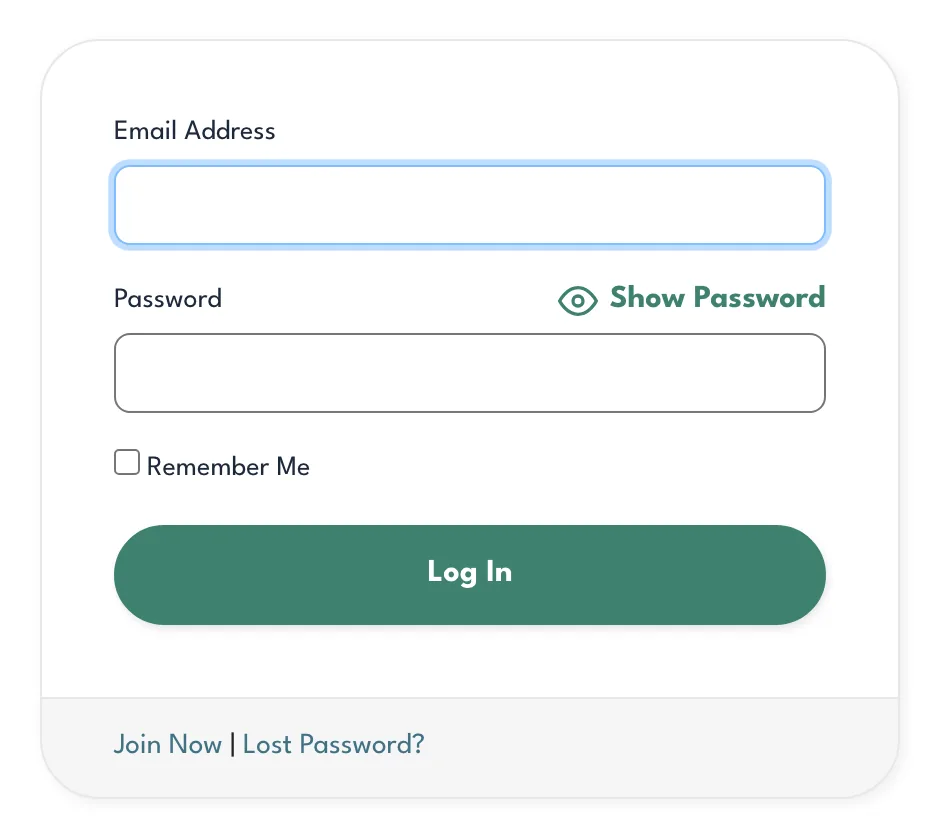
Press Lost Password? on the sign-in page and a link to set a new one is emailed to you. If it does not arrive, check the address you typed is the one you signed up with. Your teacher can also send you a reset link from their class list.
Getting startedWhere do I find my book code?
It is printed in your textbook. It is six characters, and the sign-up form already shows the first part of the code, so you only type the six. Type it exactly as it is printed.
Each code makes one account. If yours says it has already been used, that account is probably yours: sign in with the email you used the first time, and use Forgot password if you need to.
Getting startedHow do I sign up?
Go to the sign-up page and enter your school email address (or tick the box if your school does not give you one), pick your school from the list, and enter your book code. If you are under 16 you also give a parent or guardian's email address.
If your teacher has given you a classroom code you can add it here too, or leave it blank and join your class later from your dashboard.
Getting startedI am under 16. Why is my account waiting?
Because we need a parent or guardian to say yes first. We email them a link when you sign up; when they press it, your account is switched on and you can use everything. They have seven days, and we send a reminder after three. If the email has not arrived, sign in and you can send it again or change the address.
If your teacher adds you to their class with a classroom code, that counts as the go-ahead and your account is switched on straight away.
Getting startedWhere are the eBook and the Activity Book?
The two buttons at the top of your dashboard open them in the reader. They open in a new tab, and you are signed in automatically.
Getting startedDoes it work on my phone?
Yes. Everything on the hub works in the browser on a phone or a tablet, including Take 10, flashcards and the work your teacher sets. There is nothing to install.
XP and levelsWhat is XP?
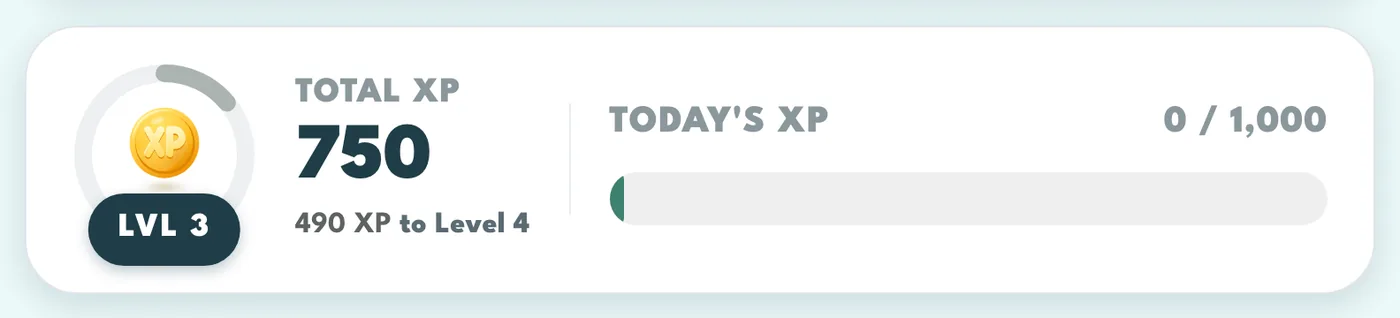
Points for doing the work. XP never goes down and is never taken away. It is not a grade and it does not measure how well you know something; the percentages do that.
XP and levelsWhat does everything pay?
XP comes from Take 10 and your other quizzes, flashcards, videos and Classroom Blitz, plus the walkthrough and some news posts. The Exam Corner and mind maps are there to learn from and do not pay XP.
| What you do | XP |
|---|---|
| Today's Take 10, 8 or more rightThe first Take 10 you finish each day. | 500 XP |
| Today's Take 10, 5 to 7 rightFinishing is what pays, not being perfect. | 400 XP |
| Today's Take 10, under 5 rightA hard day still pays. Never skip it. | 300 XP |
| Take 10 again the same dayUp to 100 XP. The big bonus is once a day. | 10 XP a question |
| A quiz your teacher setsScaled by your score, so half marks pay half. If it has no XP value, 10 XP for every right answer. | The XP on it |
| Flashcards your teacher setsOnce, when you first do the set, on top of the XP for each card. | The XP on it |
| Right answer in a self-check quizThe quizzes you start yourself from a chapter. | 10 XP |
| Flashcards, your first deck of the dayA 20 card deck is 100 XP. Rating pays whatever you answer. | 5 XP a card |
| Flashcards, later decks the same dayKeep going for the practice, not the points. | 1 XP a card |
| Watch a videoPaid once for each video. | 100 XP |
| Classroom Blitz, right answerThe five fastest also take a speed bonus of 10, 9, 8, 7 and 6. | 5 XP |
| Finish the walkthroughOnce, for going through every step. Skipping it does not pay, but the tile stays in My Assignments so you can come back. | 500 XP |
| Open a news post in My AssignmentsOnly some posts pay, and each one pays once. | Shown on the post |
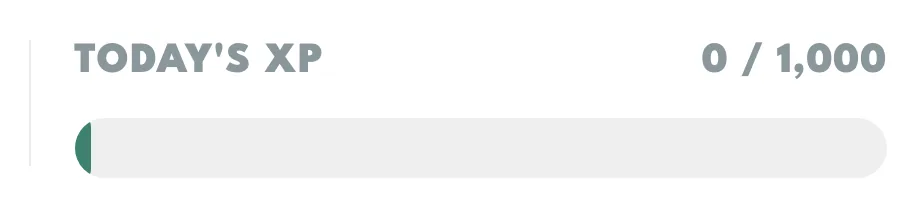
XP and levelsWhat is the bar under Today's XP?
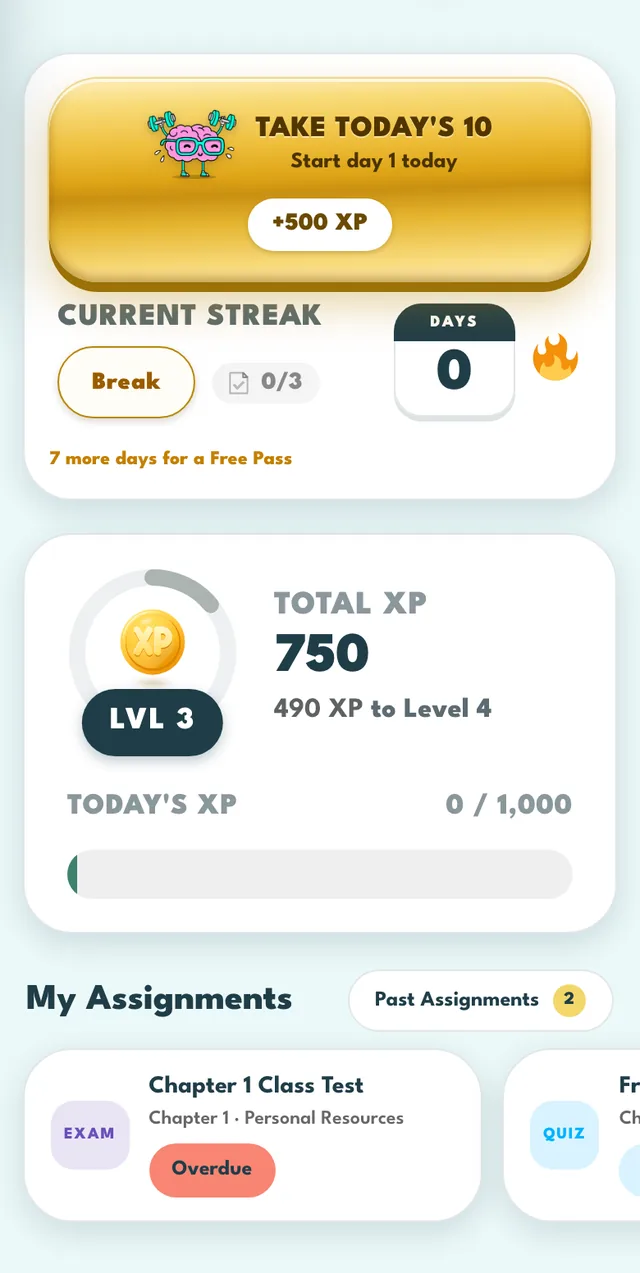
A daily target of 1,000 XP. It is a target, not a limit: you keep earning past it, and it starts again at midnight, Irish time.
XP and levelsHow do levels work?
Enough XP moves you up a level, and there are 60 of them. Each one takes more than the last. The ring on your dashboard shows how far through your level you are, and the line under your total says exactly how many XP the next one needs.
A level is a badge and nothing else. Nothing is locked behind it. If you use more than one hub, each keeps its own XP and its own level.
XP and levelsDo the quizzes my teacher sets pay XP?
Yes. A quiz your teacher set is worth the XP on its card, scaled by how you do, so half marks pays half. If the teacher left the XP blank it pays 10 XP for every right answer instead. An exam pays nothing at all, on purpose.

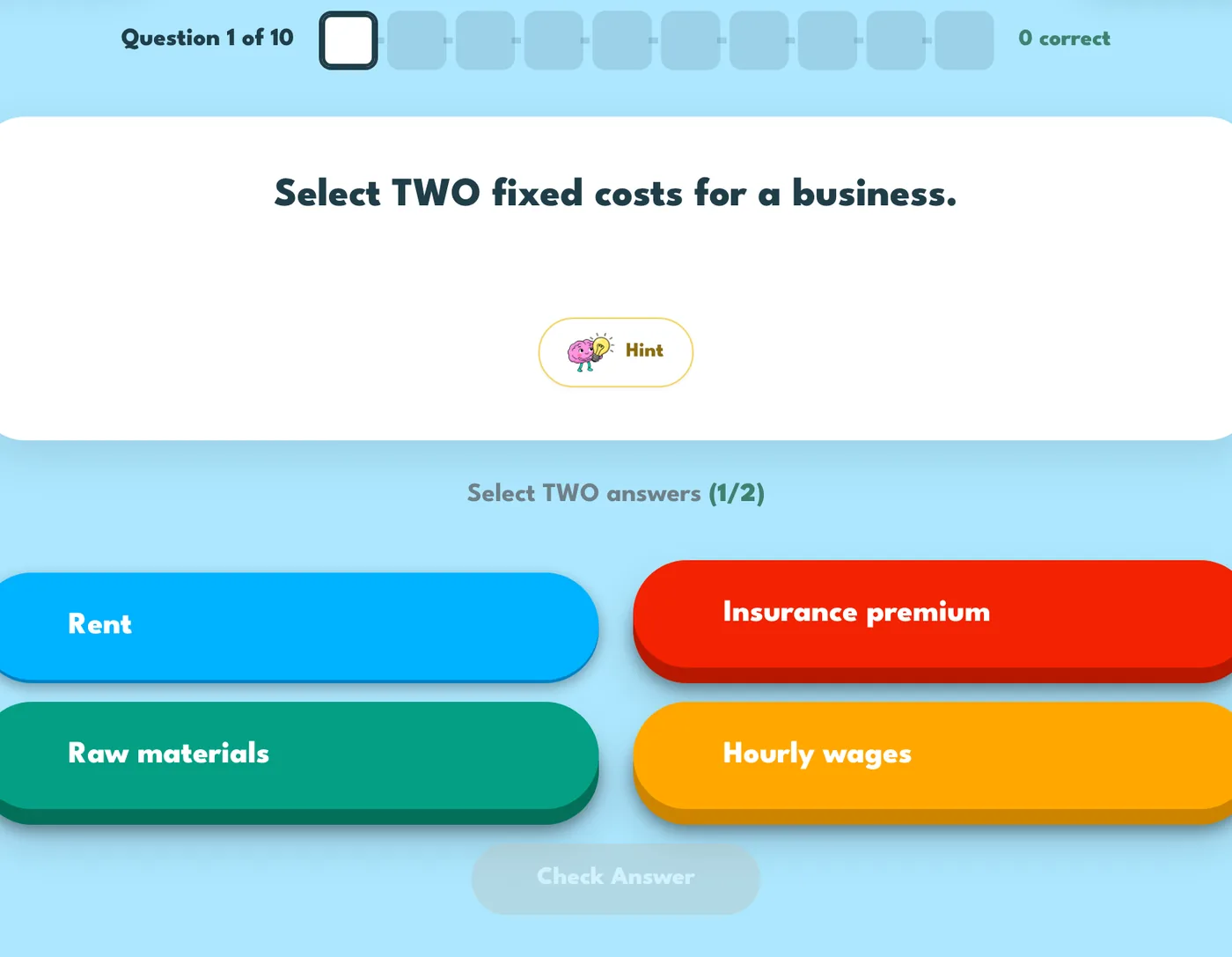
XP and levelsDoes using a hint cost me anything?
Not your marks or your XP. It does count as half on the percentage for that topic, because you had help, so use it when you are stuck rather than as a first step.
XP and levelsCan I do Take 10 more than once a day?
Yes. The big bonus is for the first one you finish each day. Any Take 10 after that pays 10 XP a right answer, and it is still good practice. It does not add another day to your streak; one day is one day.
Percentages and medalsWhat is the percentage beside each topic?
It is not a test result. It is a score out of your last 15 answers on that topic, from quizzes and flashcards. A right answer counts in full, a nearly right one or a right one where you used a hint counts half, a wrong one counts nothing, and a question you skip counts neither way.
Because it only looks at your recent answers, it goes up when you improve and down when you slip, and a bad start never follows you around.
Percentages and medalsWhat is the percentage on a chapter?
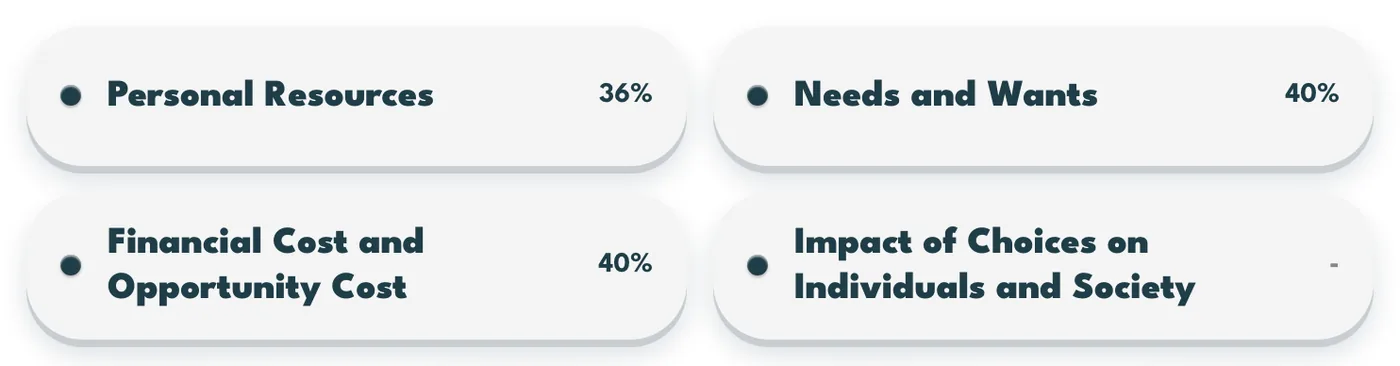
The average of your topics inside it, counting only the ones you have actually answered. A dash means you have not answered anything there yet.

Percentages and medalsWhy did my percentage go down when I got nothing wrong?
If you leave something alone for a long time it fades slowly, because knowing it last month is not the same as knowing it now. It never drops below 40% from fading alone, and practising it again brings it back up.
Percentages and medalsWhat do the medals mean?
The colour of a percentage is a medal. No percentage is ever red and there is no failing mark, only a level you have not reached yet.
Streaks and Free PassesWhat counts towards my streak?
Only Take 10. The number beside the flame is how many days in a row you have finished one. Flashcards, videos, assigned quizzes and Blitz all pay XP, but none of them keep the streak alive.
Every day counts, weekends included. Doing Take 10 twice in a day is still one day, because it counts days, not attempts.

Streaks and Free PassesWhat is a Free Pass?
Every 7 days on a streak earns a Free Pass, and you can hold 3 at a time. If you miss a day, a pass is spent for you automatically the next time you open your dashboard, and a message tells you which day it covered. You need one pass for each day you missed: if you miss more days than you have passes, the streak starts again.
Streaks and Free PassesI am going on holiday. Will I lose my streak?
Press Break on the streak tile before you go. Your streak is held where it is, the days you are away cost you nothing, and it picks up again when you do your next Take 10. A break ends on its own after 21 days, and after one ends you wait two weeks before you can start another.
Streaks and Free PassesWhen does a new day start?
At midnight, Irish time. A Take 10 finished at five to midnight counts for that day, and one finished at five past counts for the next.
Work from your teacherWhere is the work my teacher set?
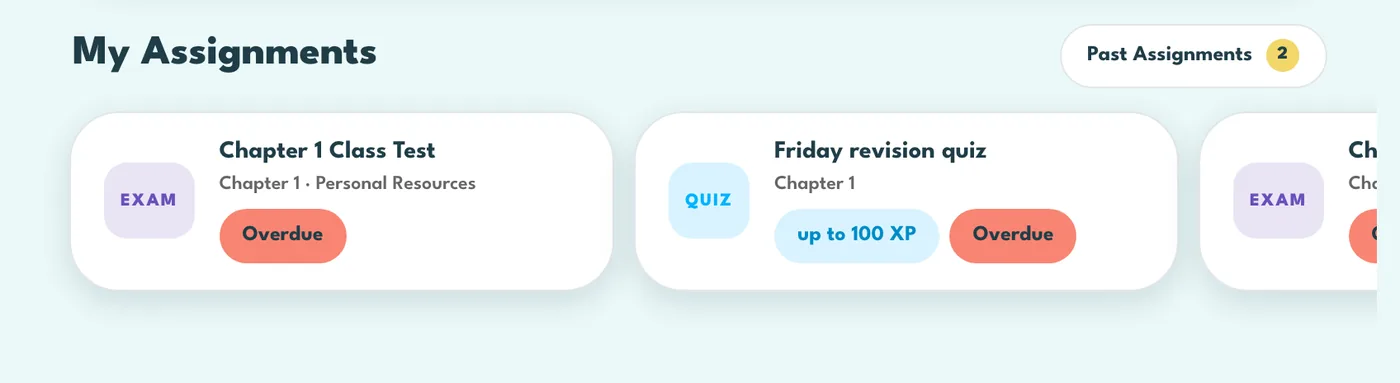
Under My Assignments on your dashboard, most urgent first. Red means it is overdue, orange means it is due today or tomorrow, and blue means it is due in the next few days. You can still do it after the date, and it still counts.
Work from your teacherWhat are the News tiles in My Assignments?
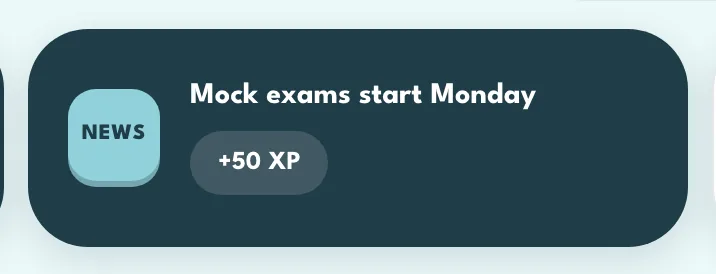
Posts from the hub team: new features, reminders, documents and videos. Open one to read it. If it shows XP, you get that XP the first time you open it, and once you have opened it the tile leaves the row.
Work from your teacherWhat does the thumbs up mean?
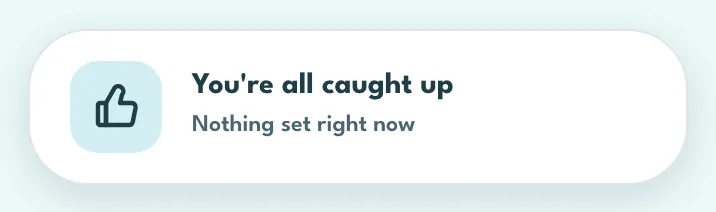
It means your teacher has nothing waiting for you, so you are all caught up. Once you have practised some topics, the card also suggests flashcards for the one you are weakest on. Press its X and the suggestion stays away for the rest of the day.
Work from your teacherDoes a quiz my teacher sets show me the answers?
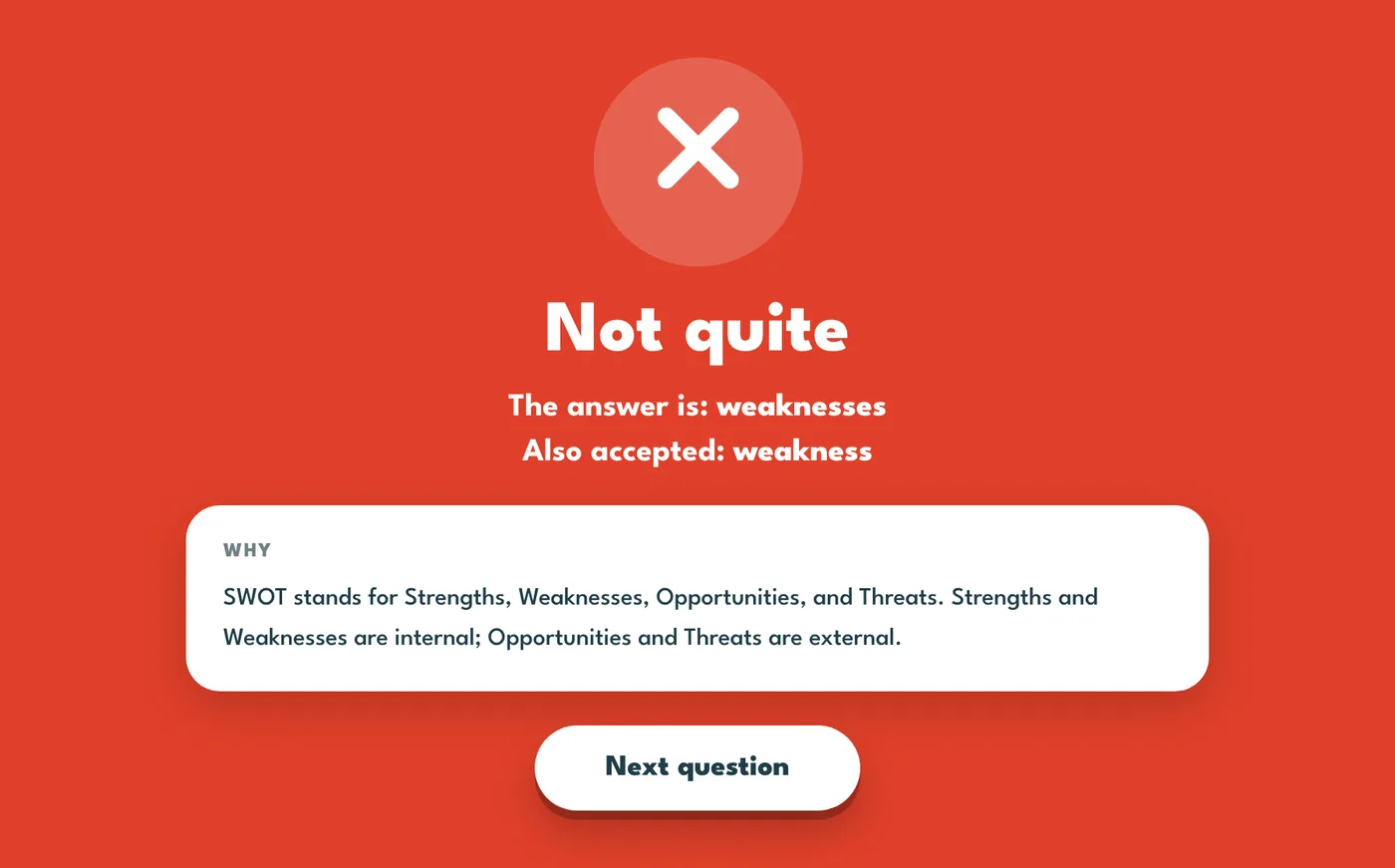
Yes. After each question you see whether you were right, with the correct answer and how it is worked out, and you can use hints. An exam is different: you answer and move on, with no hints and nothing marked on screen.
Work from your teacherWhat is the difference between a quiz and an exam?
A quiz pays XP, shows you the answers as you go, and shows your score as soon as you hand it in. An exam is sat in class: no hints, no XP, nothing shown while you sit it, and your mark appears only when your teacher releases it.

Work from your teacherWhere did a finished assignment go?
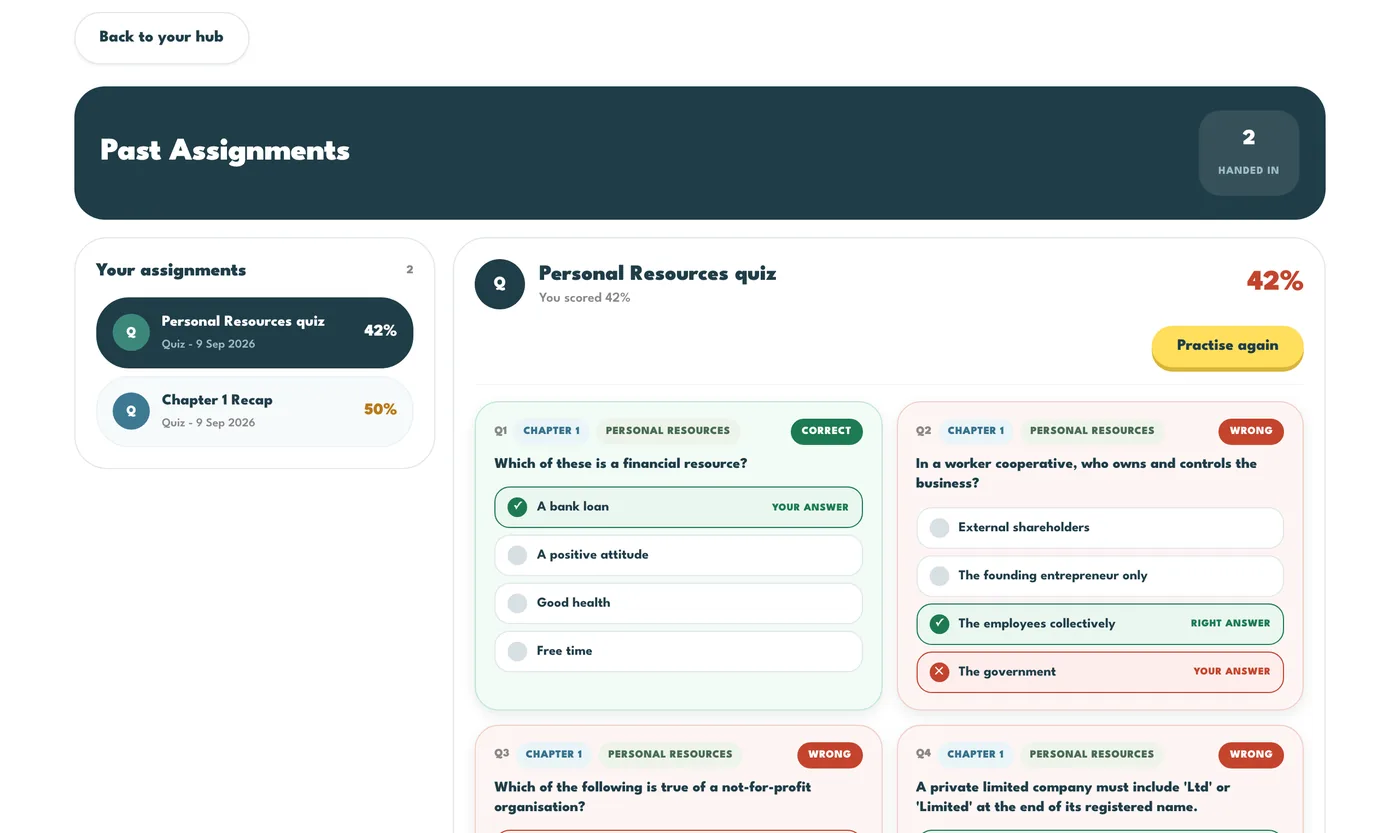
Handed-in work moves off the dashboard to Past Assignments, reached from the link beside My Assignments. It shows what you did and your score, and Practise again lets you have another go. Practising again never changes the mark your teacher sees.
Work from your teacherWhat does my teacher see about me?
Your average and your last three results on the quizzes they set your class, how many assignments you have completed, your XP, and which topics the class as a whole finds hard. Take 10 and self-check quizzes are practice: they are not shown to your teacher as marks.
Your accountHow do I change my name, email or password?
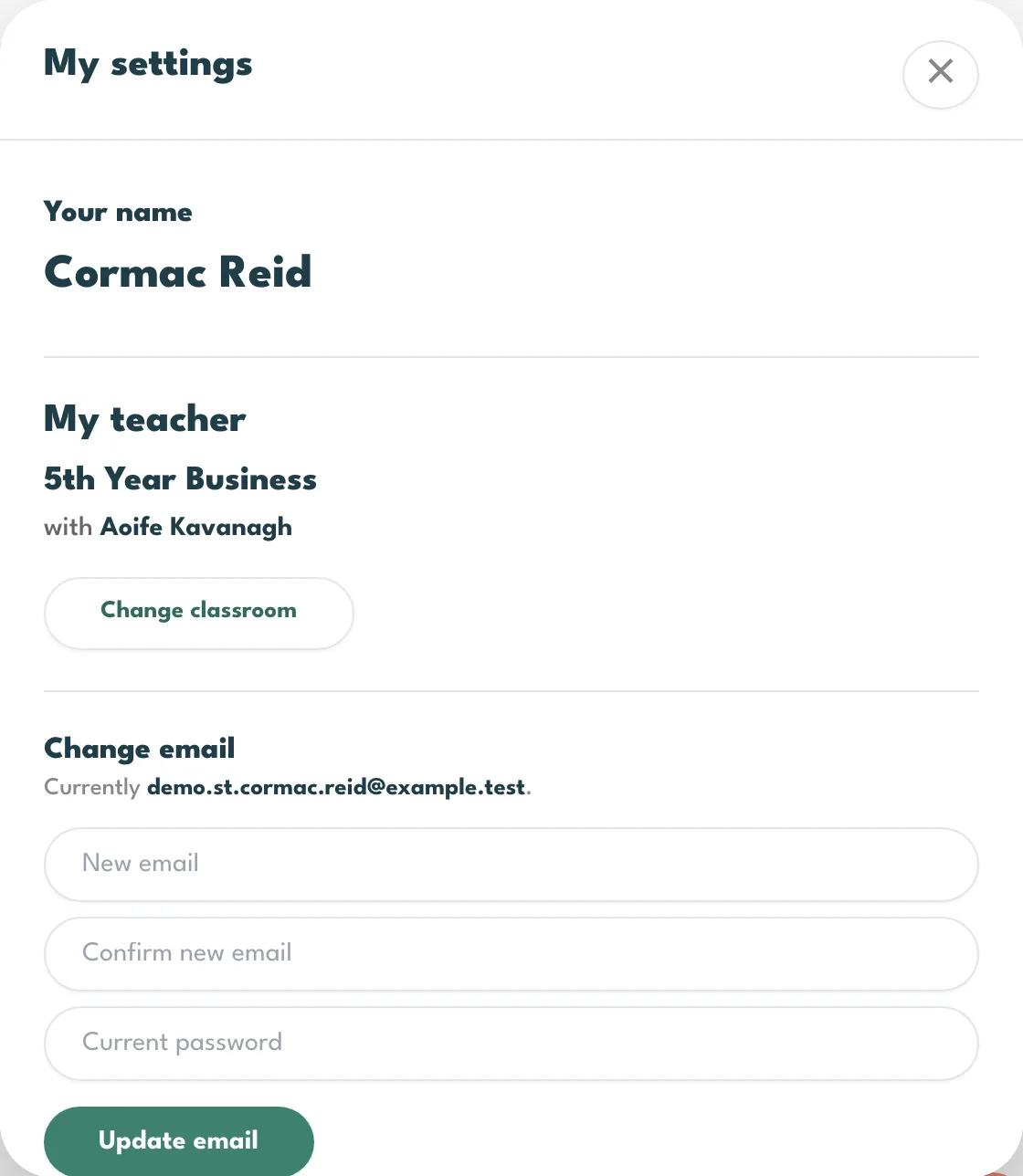
The cog at the top of your dashboard opens Settings. Your display name is what your teacher sees on the class list. Forgotten your current password? Under Change password, press Email me a link to set a new password. How it works and Show me around again are in there too.
Your accountCan I see the walkthrough again?
Yes. Open Settings and press Show me around again. It runs once on its own the first time you open your dashboard, and as often as you like after that.

Your accountDo I get XP for the walkthrough?
Yes, 500 XP, once. You have to go through to the last step and press Finish. If you skip it, a walkthrough tile stays in My Assignments so you can do it later, and it disappears once you have finished.
The activitiesHow do flashcards work?
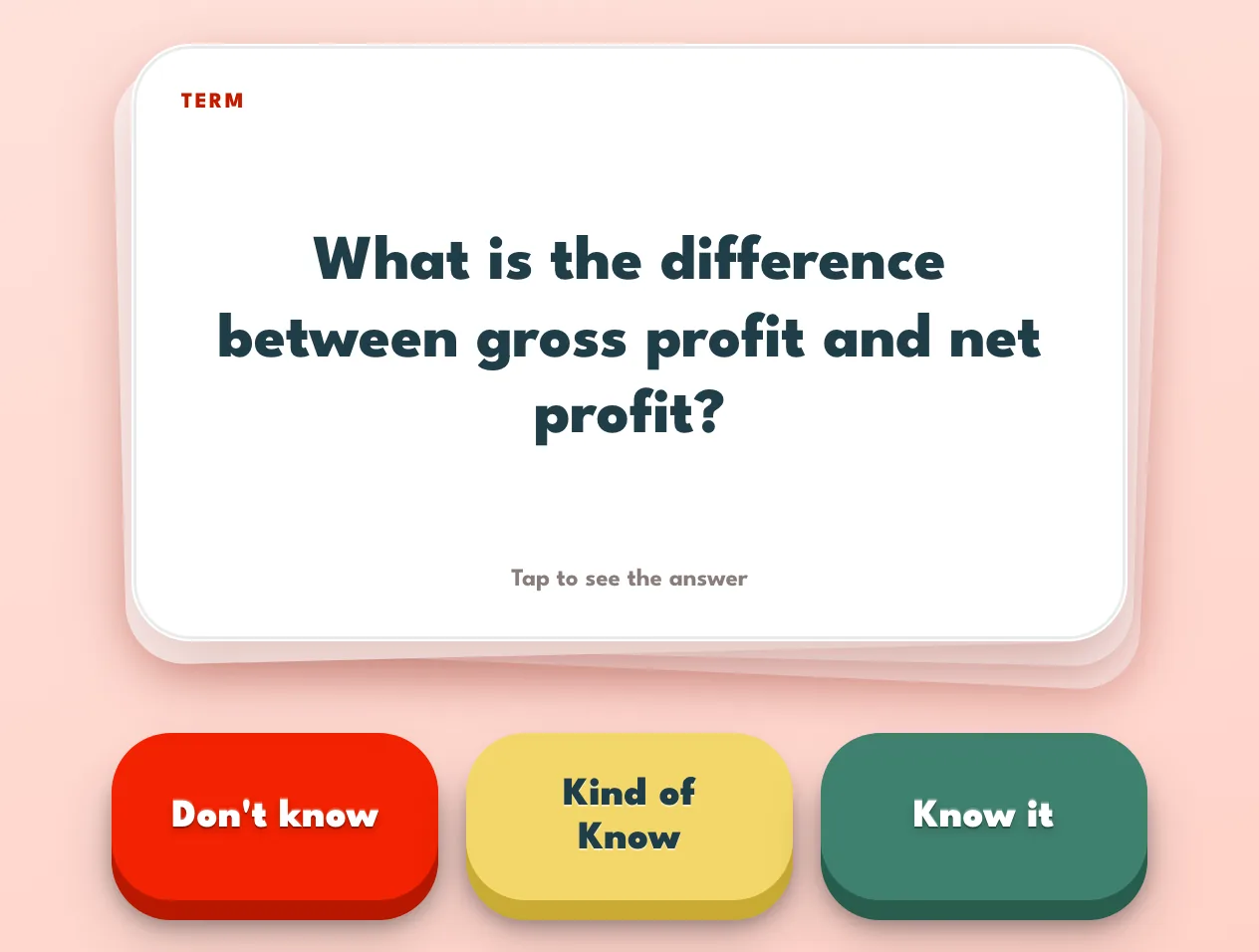
Pick a chapter or a topic and you get a deck of 20. Read the front, flip it, then press Know it, Kind of Know or Don't know. At the end you can retake just the cards you flagged. The first deck of the day pays the most XP per card; later decks pay a little, and are worth doing for the practice.
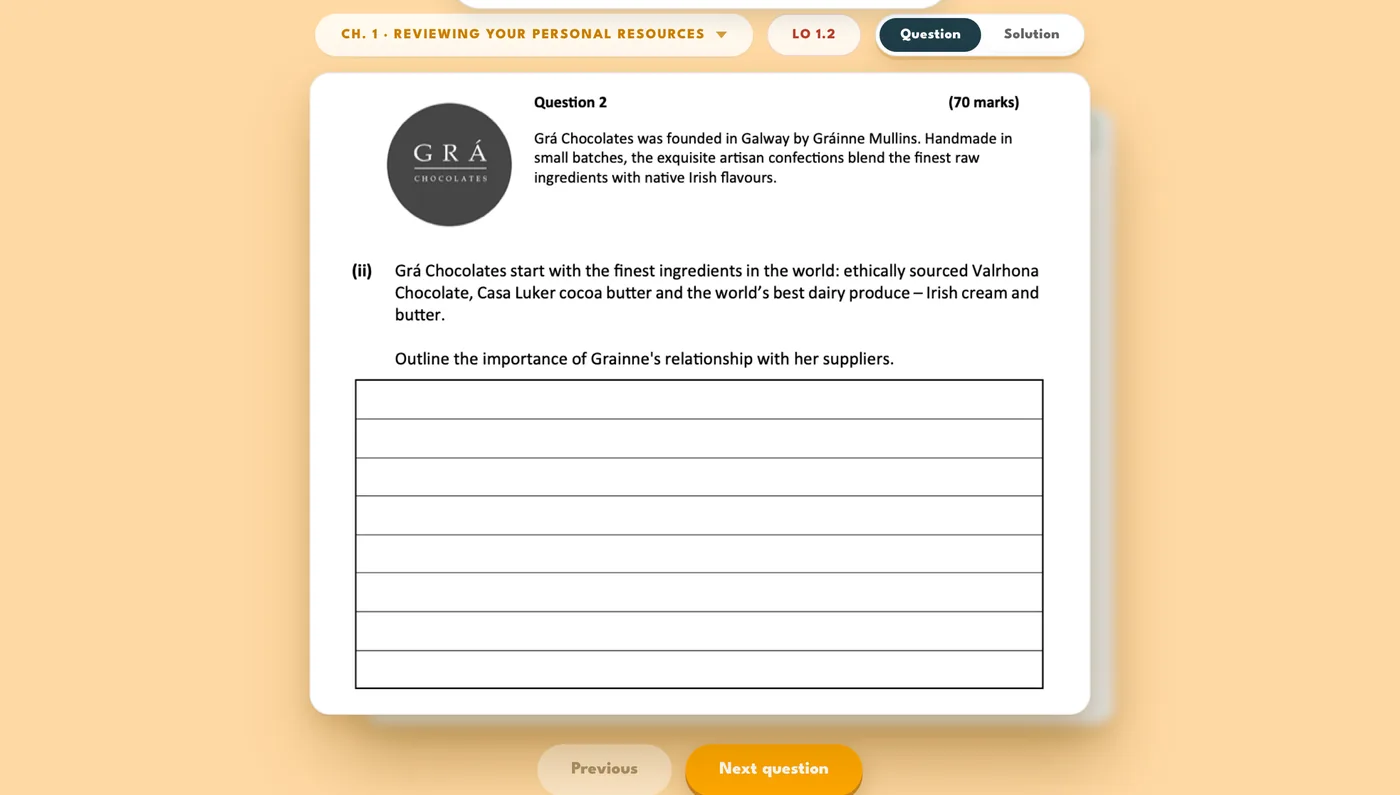
The activitiesWhat is the Exam Corner?
Real past exam questions for the chapter you are on, with the marking scheme. It does not pay XP: it is there to learn from, and reading the solution is how you learn what the examiner wants.
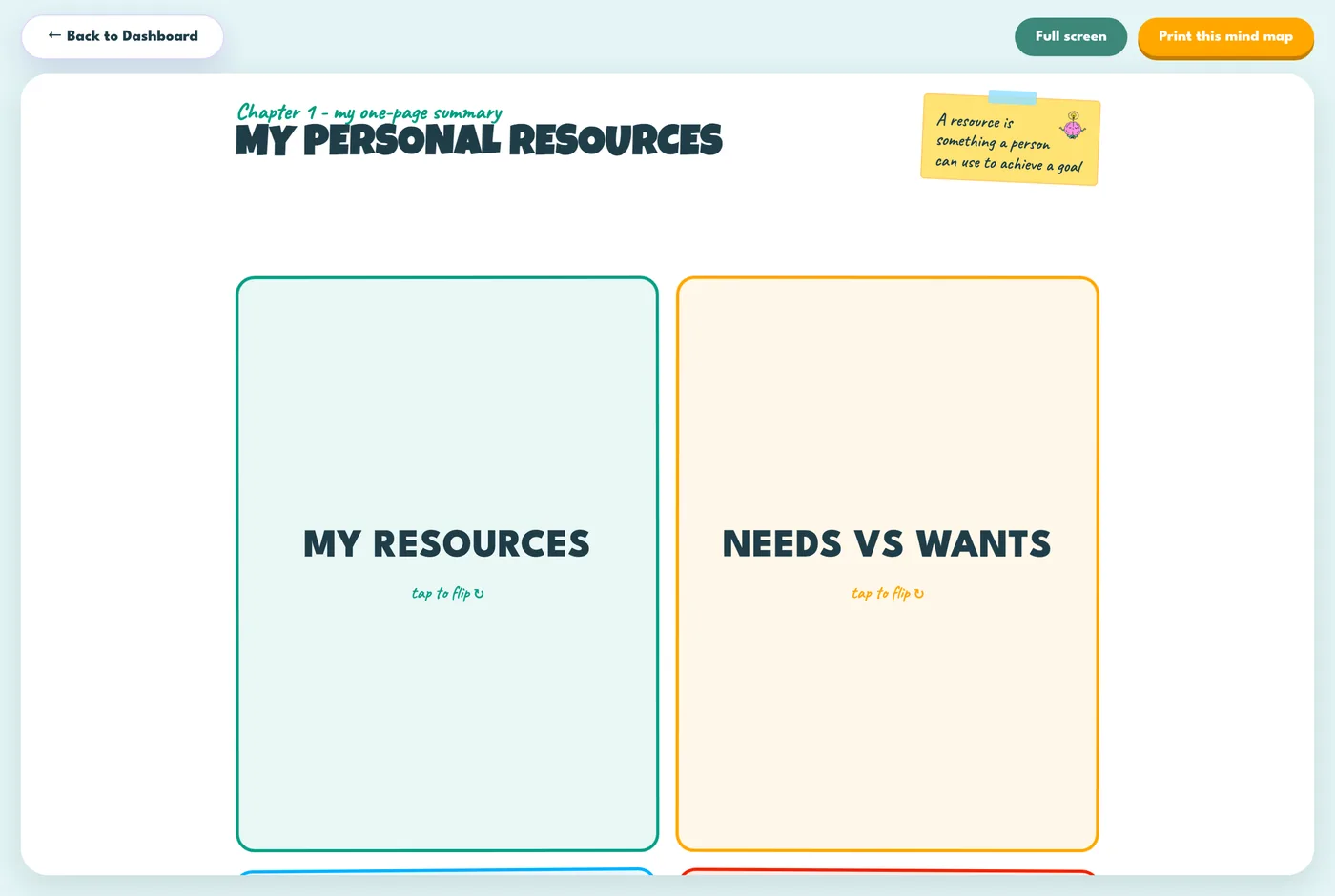
The activitiesWhat are the mind maps?
A one-page picture of the whole chapter, for revising and for seeing how the parts fit together. They are for reading, so they do not pay XP.
The activitiesWhat is Classroom Blitz?
A live game your teacher runs in class. When they start one, a Live button appears on your hub: press it to join on your own device, and everyone answers the same questions at the same time. Right answers pay XP, and the fastest few take a speed bonus on top.
Nothing matches that. Try a different word, or show every question.
Most asked
Classes and studentsHow do I set up a class?
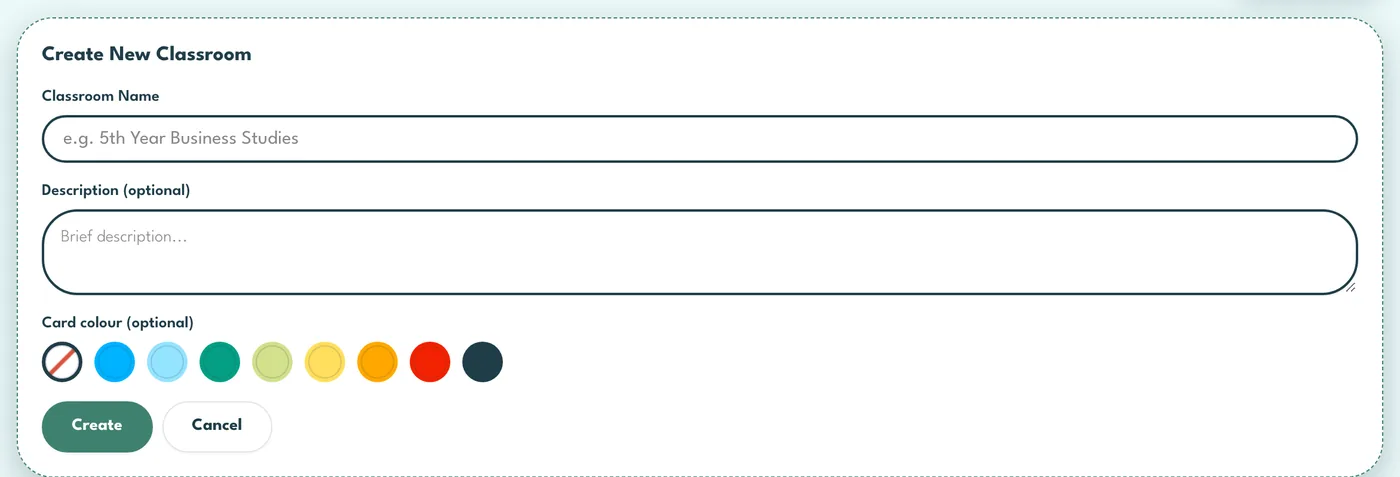
Press New Classroom on your classrooms page, give it a name and, if you like, a colour, and it gets a join code straight away. Give the code to your students; they enter it once on their own dashboard and they are on your roster. One classroom per class group is the usual pattern.
Classes and studentsIs the join code safe to write on the board?
Yes. It only works for students who already have an account on this hub, and it only puts them in your class. If it ever gets out, generate a new one from the class settings and the old one stops working immediately.
Classes and studentsA student says they cannot see my class.
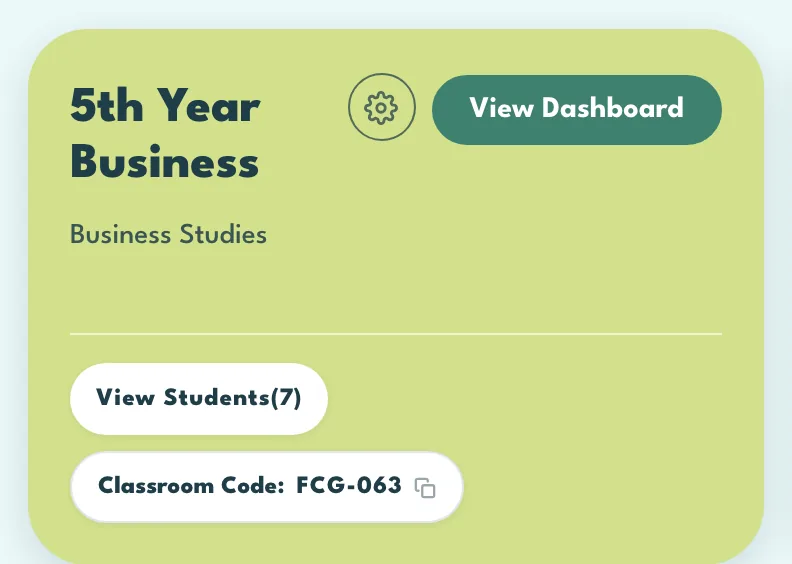
The usual reasons, in order: they have not entered the code yet; they entered it on the other hub; or they are already in another class on this hub, because a student can only be in one at a time. Check View Students on your card, and Add selected puts them straight in.
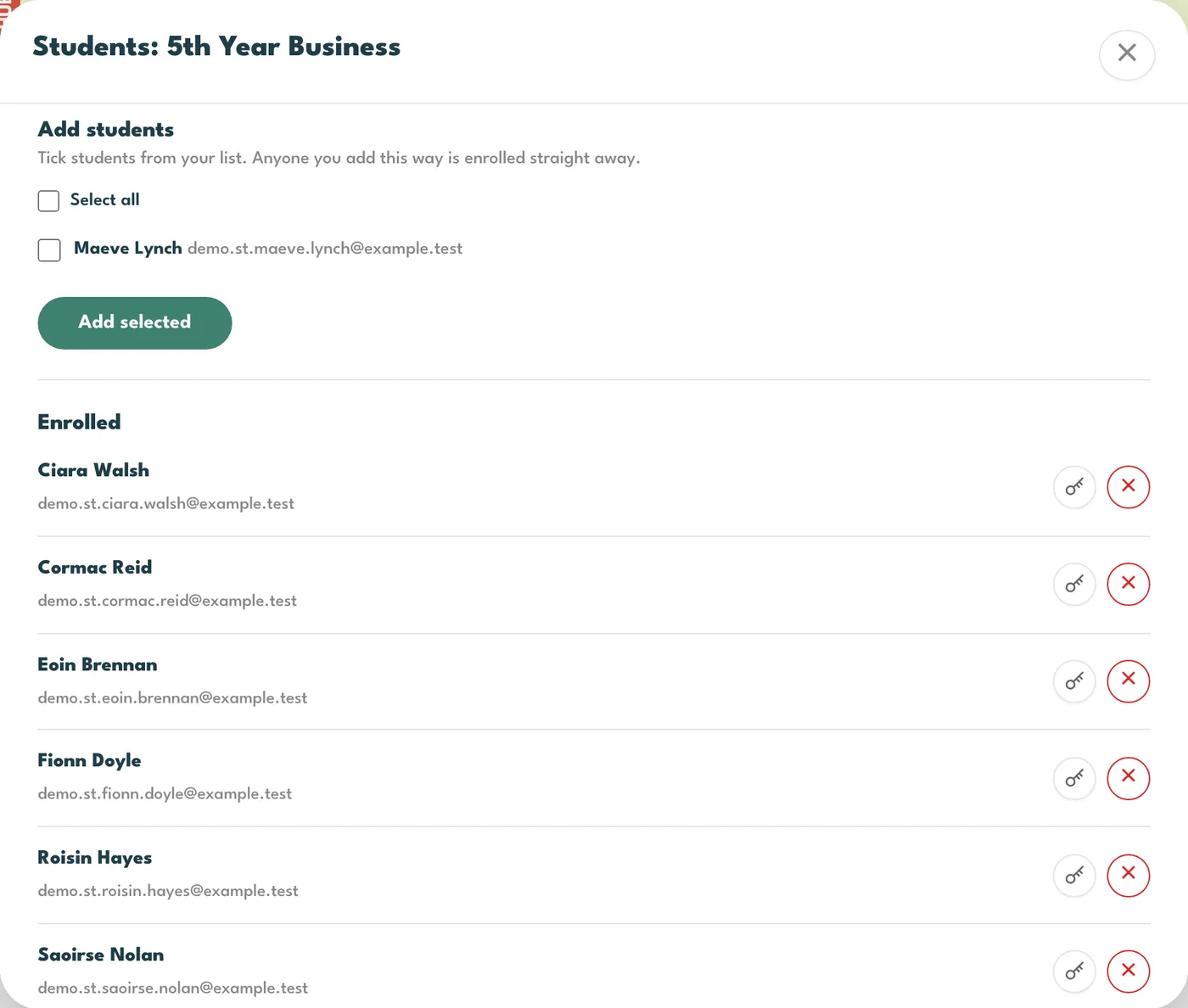
Classes and studentsHow do I add a student who is already in someone else's class?
They have to be removed from that class first, which returns them to the student list, and then they can join yours. Remove takes a student out of a class only; their account and everything they have done stay.
Classes and studentsA student cannot sign in.
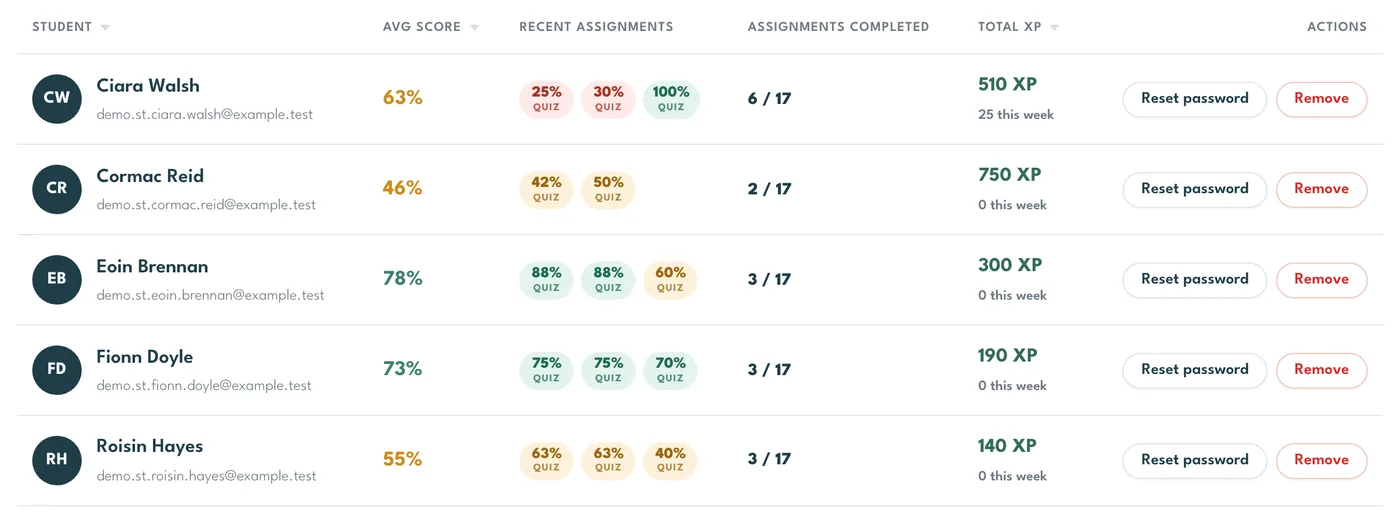
Reset password on their row of the class list emails them a link to set a new one. You never see or handle the password itself. If the email does not arrive, the address on the account is usually the problem, so check it with them.
Classes and studentsCan another teacher share my class?
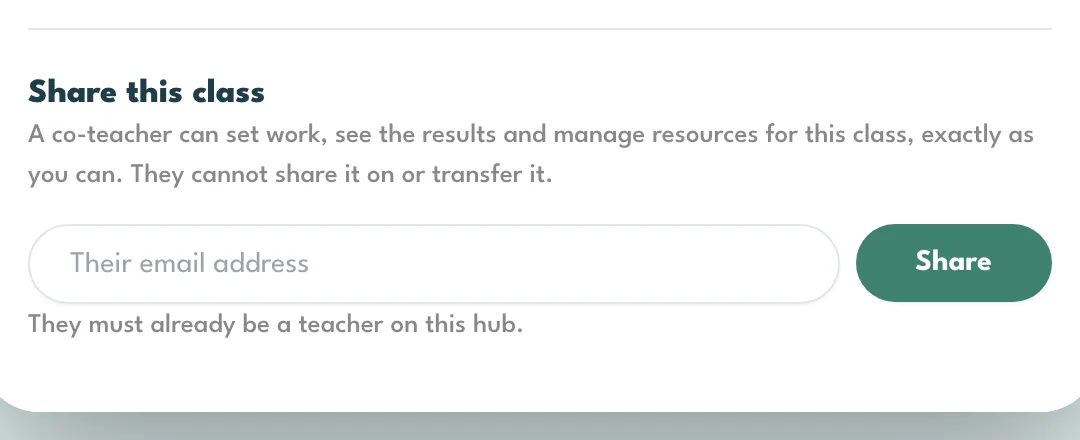
Yes. Share this class, in the class settings, gives a co-teacher the same powers you have on that class: they can set work, see the results and manage resources for that class. They cannot share it on or transfer it. Transfer hands the class over entirely, and Delete is owner only and asks for the class name typed back.
Classes and studentsHow do my students get their accounts?
Each textbook carries a single-use book code. A student signs up with their school email, their school and that code, and the account is made. Students under 16 give a parent or guardian's email and the account waits for the parent's go-ahead, for up to seven days. Your classroom code counts as that go-ahead, so a student who joins your class is switched on straight away.
Classes and studentsA student says their book code has already been used.
Almost always they have already signed up and forgotten. Have them sign in with the email they used the first time and use Forgot password if they need to. If the code was genuinely used by somebody else, the message on screen tells them who to email, and we can sort it out.
Classes and studentsI teach on both hubs. Do I need two accounts?
No. A teacher account can hold both hubs. If you can only see one, ask us and we will add the other to the same account. Students are different: a student account belongs to one hub.
Classes and studentsWhat do I do at the end of the year?
Create next year's class and give its code to the new group. The old class keeps its students and its results for as long as you want to look back at them. If you would rather it was gone, Delete in the class settings removes it; you are asked to type the class name to be sure.
Setting workHow do I set work?
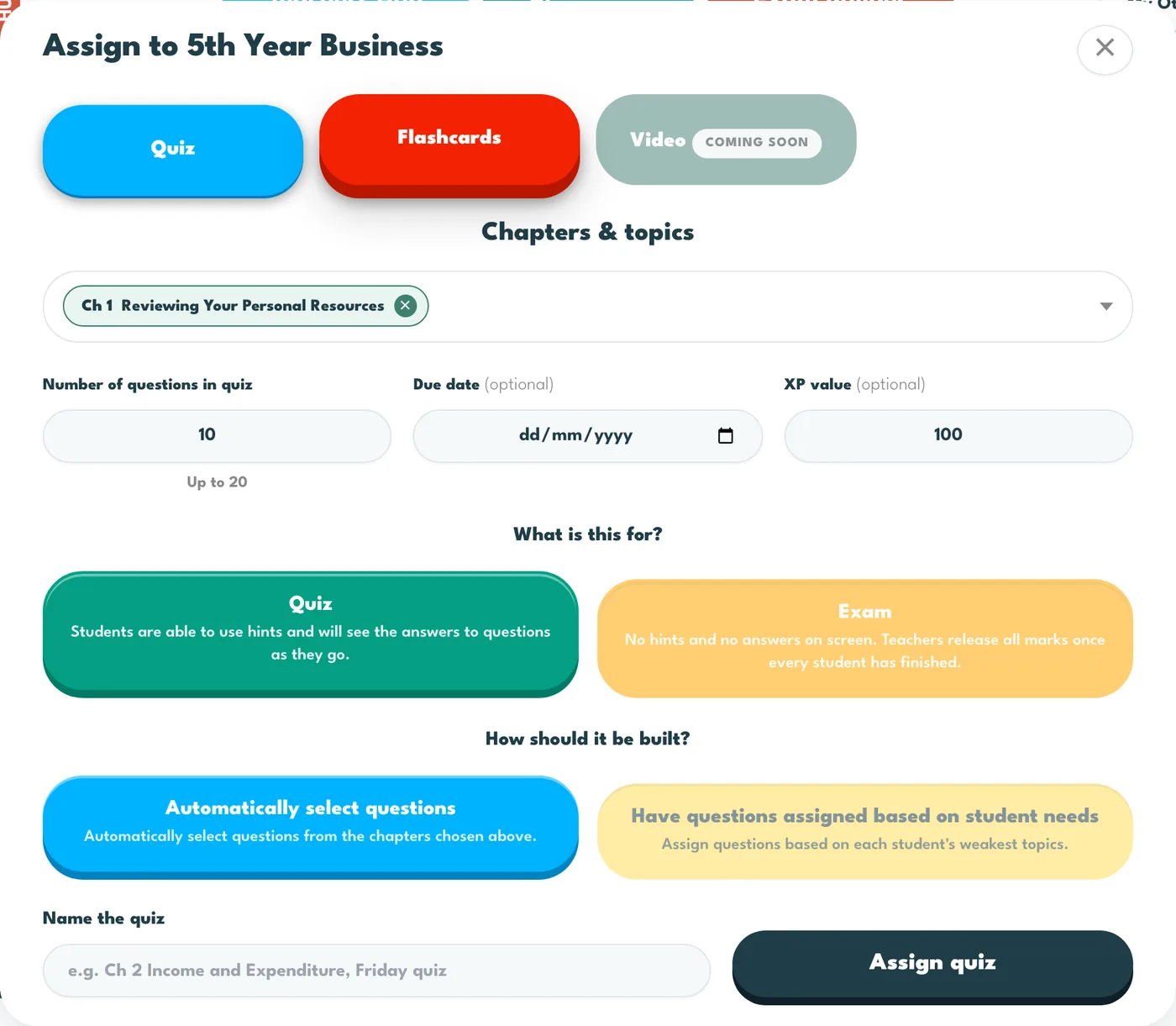
Press Assign on your classrooms page and pick the class, or Assign work inside a class. Choose Quiz or Flashcards and tick what it covers. For a quiz, set the number of questions, an optional due date and XP, Quiz or Exam, and automatic or by student needs, then name it and press Assign quiz. For flashcards, press Assign flashcards. Either goes straight to the class, and the new row appears on the tracker.
Setting workWhat can I set?
A quiz with questions picked automatically from what you tick, a quiz built for each student from their weakest topics, an exam built either of those ways, or a set of flashcards. Video is on the way.
Setting workIs there a draft step?
No. Assign quiz builds the quiz and gives it to every student in the class in one go, and a message tells you how many questions went to how many students. Ticked topics only narrow their own chapter, so you can mix a whole chapter with part of another in one quiz.
Setting workWhat does based on student needs do?
One instruction from you, a different paper for each student. Every student gets their own set drawn from the topics they have got wrong so far, weakest first. A student with nothing to draw on yet is skipped rather than handed an empty paper, and the message after you assign says how many.
Setting workQuiz or Exam?
A quiz is a study tool. It pays XP, students can use hints, and after each question they see whether they were right, with the correct answer and the solution. An exam is sat in class: no hints, no XP, nothing marked on screen, and the marks stay hidden from students until you press Release marks on Review answers.
Setting workDo due dates lock the work?
No. A due date is a signal. Students still see and can finish the work after it passes, and it still counts. On their dashboard the pill reads Overdue in red, Due today or tomorrow in orange, or the day in blue when it is in the next three days. On your tracker a row turns amber in the last three days and red once the date has passed with students still to finish.
Setting workHow does the XP value work?
On a quiz, the XP value is what the work is worth, scaled by score, so half marks pays half. Leave it at zero and the quiz pays the standard 10 XP per right answer. On flashcards, it is paid once, on top of the card XP, when the student first does the set. An exam pays nothing by design.
Setting workI set the same flashcards twice. What happens?
Nothing is duplicated. The set the class already has takes the new date and XP, and its finished ticks are cleared, so everyone gets it back as outstanding, including students who had completed it. That is the way to re-run a set; it is not the way to fix a typo in a date.
Setting workCan I see what the students see?
Yes, without a student login. Open a class, open Select chapters for your class, then a chapter card, and the tiles on it are the same ones your students have. Quiz runs the real student player on ten questions from that chapter; videos, mind maps and the Exam Corner open exactly as they do for a student. A Students View tag marks it, and nothing you do in there is recorded or scored.

Reading the resultsWhat is the tracker?
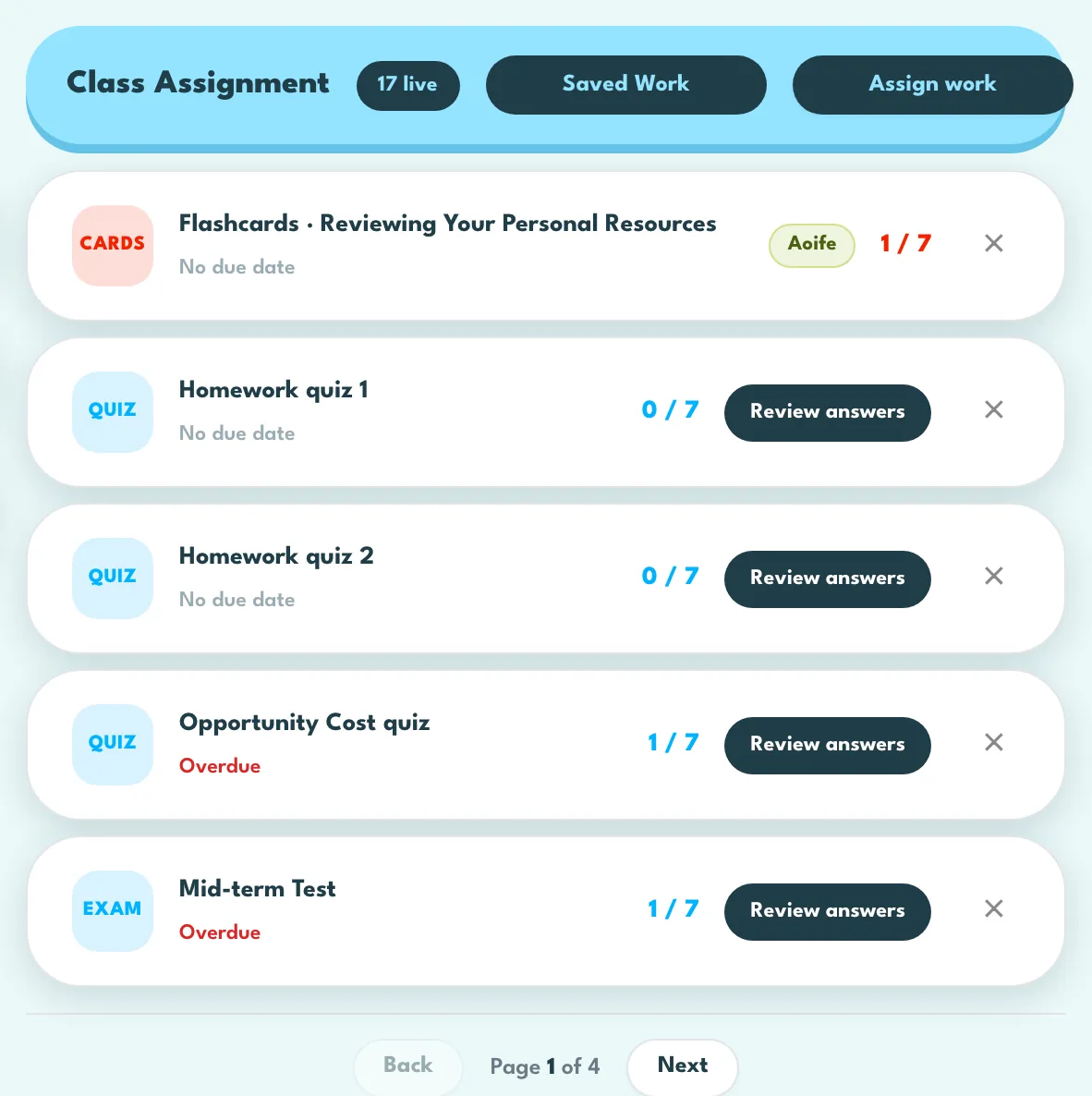
Class Assignment on the class dashboard: one row per piece of work, flashcard sets first and then quizzes, each newest first, with how many of the class have finished it. The count is measured against the roster as it is now, so it moves on its own when someone joins or leaves. Review answers on a quiz row opens what the class actually wrote.
Reading the resultsWhat are the cards above my classrooms?
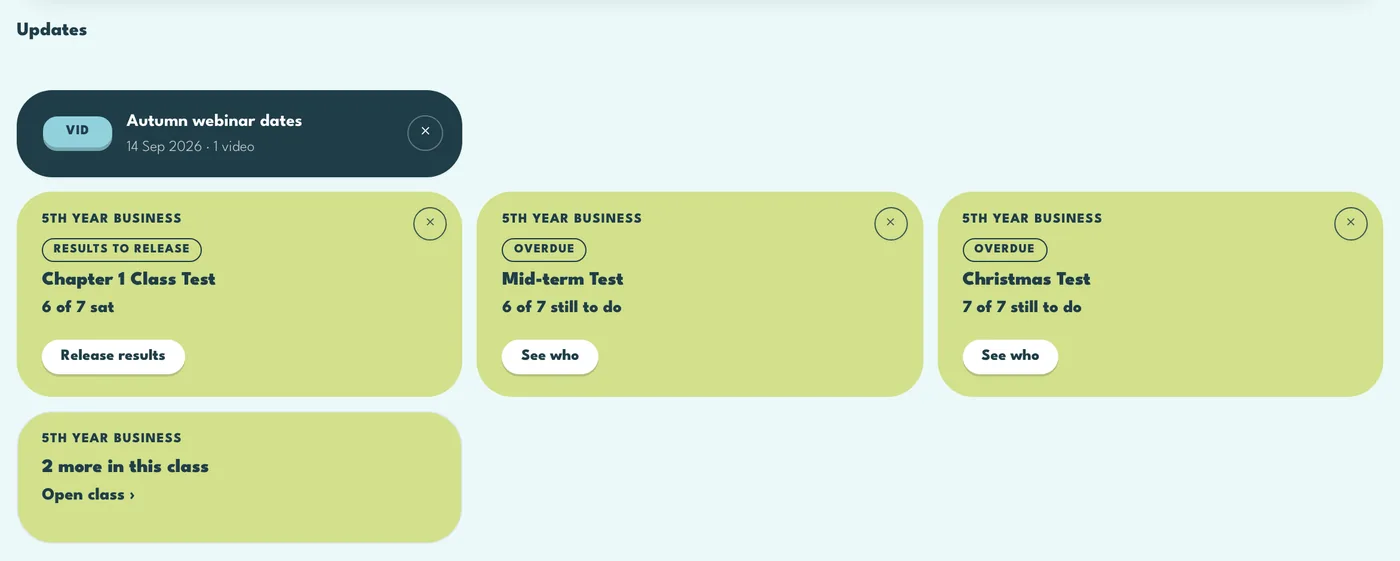
News from GD Education, and a card for each class, in that class colour, when something needs you: results to release, work handed in since you last looked, or work gone overdue. The button on the card takes you straight to it, and Open tracker jumps to that row in the class tracker.
Press the X, or deal with it, and the card goes away. Opening a class clears its Handed in card, and releasing results clears the results card. Clearing a card never changes any student work or marks.
Reading the resultsWhat does the X on a tracker row do?
It clears the row from the tracker and nothing else. Students keep everything they have done, and the quiz and its marks are untouched. Nothing on the tracker can be renamed or re-dated; clear it and set it again.
Reading the resultsWhat are the coloured chips beside each student?
Their last three assignment results, newest first. Green is 70% or better, amber is 40% to 69%, red is under 40%. Avg score beside them is their average across the quizzes set for this class, taking their latest result on each. Take 10 and self-check quizzes do not change it, and a dash means nothing handed in yet.
Reading the resultsHow is a heatmap percentage worked out?
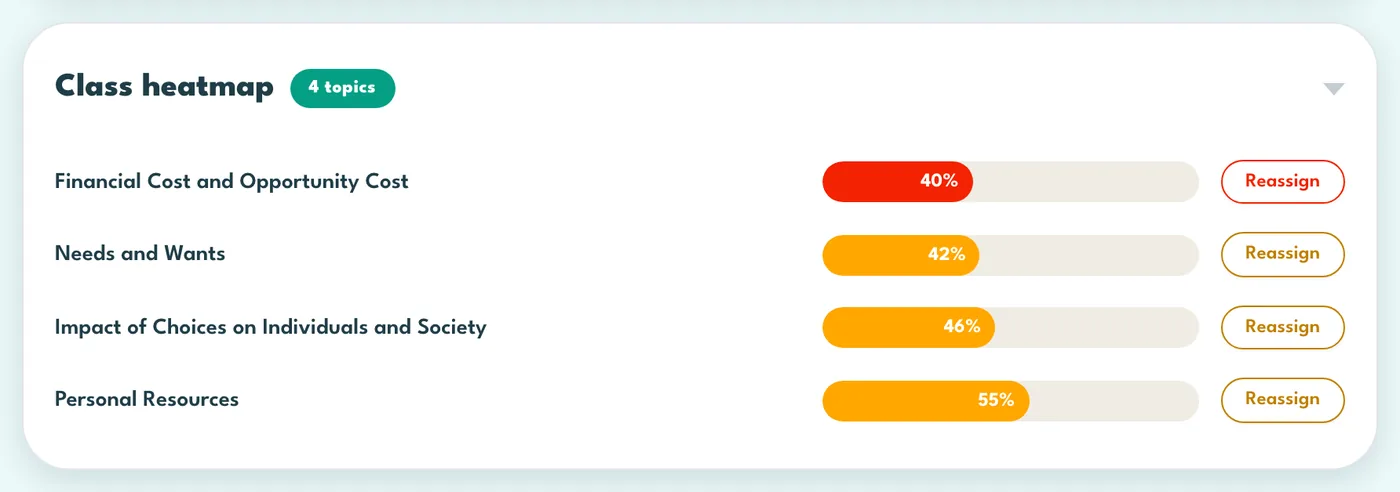
Every answer the class has given on that row, all time, pooled together: right counts one, partly right counts a half. Take 10, self-check quizzes, set work and Blitz all count. Because it is pooled, a student who has answered a lot moves it more than one who has answered a little.
Reading the resultsWhat does Review answers show?
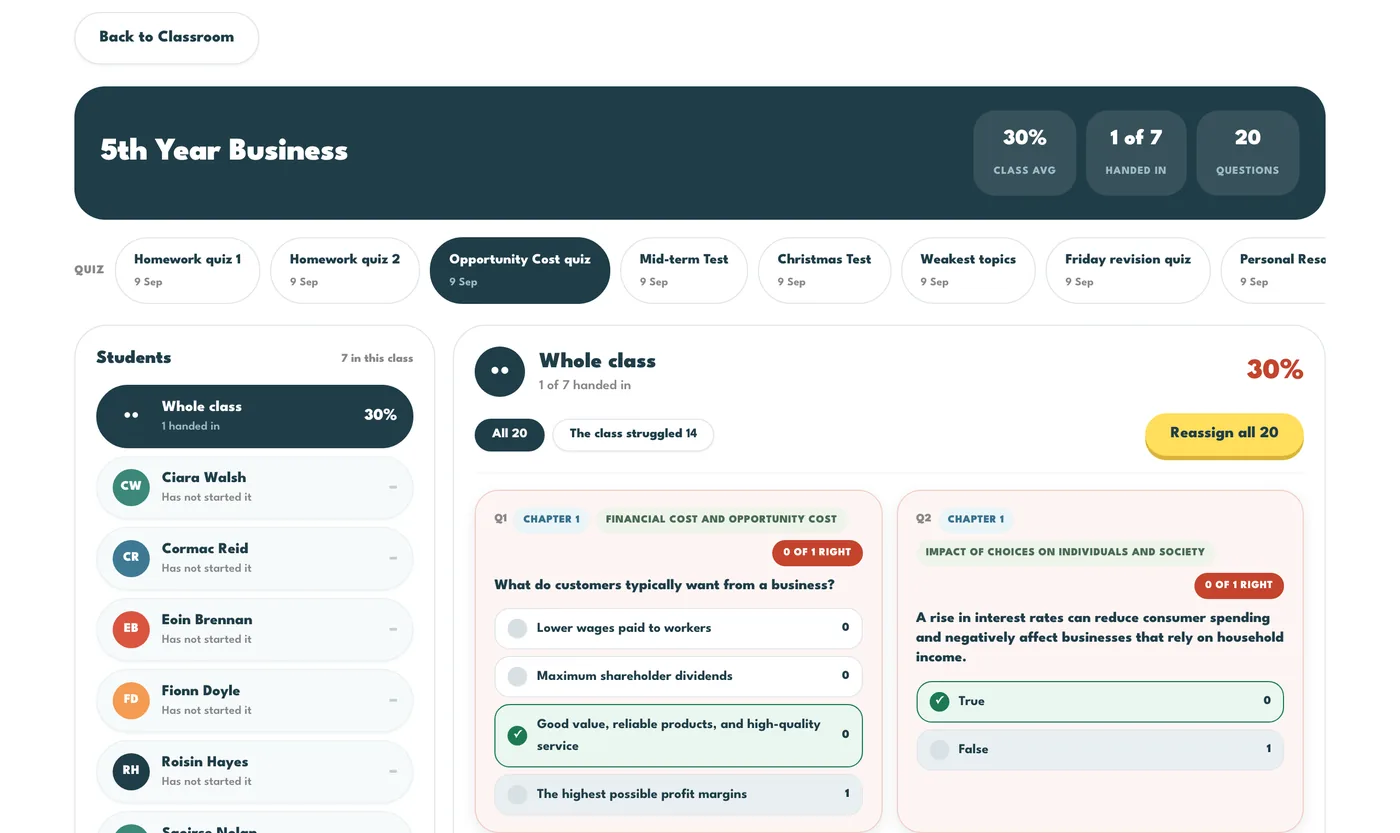
The class down the left with each score, and Whole class selected by default: every question with each option filled by the share of the room that chose it, so a wrong answer most of the class picked is visible at a glance. Click a student for their own paper. Nothing on that screen writes a mark.
Reading the resultsWhat is the topic percentage a student sees?
A rolling score over their last 15 answers on that topic, from quizzes and flashcards (not Blitz): right counts in full, nearly right or hinted counts half, wrong counts nothing, skipped counts neither way. It moves as they practise, so a weak start does not follow them, and it fades slowly if they stop, down to a floor of 40%, coming back up when they practise again.
Reading the resultsWhat is the class heatmap?
One row per topic the class has answered on, worst first, coloured by the class's cumulative correctness. It answers what to teach again on Monday, and Reassign on a row opens the Assign panel already pointed at that topic.
Reading the resultsAre any of these numbers grades?
No. Nothing here is calibrated against an exam standard and none of it should be reported home as attainment. The percentages are a picture of recent practice, at their most useful when they are falling. XP measures time spent, never accuracy, so do not rank a class on it.
Reading the resultsWhy did a student's flame not move after an hour of flashcards?
The streak counts only Take 10, one a day, every day of the week. Everything else pays XP but does not keep the flame alive. Every 7 days earns a Free Pass, held up to 3, spent automatically to cover missed days if they have enough, and Break holds a streak over a holiday for up to 21 days at no cost.
Your account and helpWhere is the written guide?
Press the cog on your classrooms page to open My settings, then scroll down to Guide and walkthrough and press Open the Teacher Guide. The guide covers every screen and every number, and it can be printed.
Your account and helpCan I see the walkthrough again?
Yes. On your classrooms page, press the cog to open My settings and press Take the walkthrough under Guide and walkthrough. That replays the classrooms tour, and the tour of the class screen plays again the next time you open a class. To see only the class screen tour, go into the class, press its cog and press Take the walkthrough.
Your account and helpWhy does the confirm-your-details box appear?
It appears once, the first time you sign in, to check your display name and terms, and again only if the terms change. Students do not get it.
Your account and helpSomething is not working.
The Report a bug button at the bottom corner of every page sends a screenshot and the page you were on straight to us. Say what you pressed and what you expected, and we will come back to you.
Blitz and the Exam BuilderHow do I run Classroom Blitz?
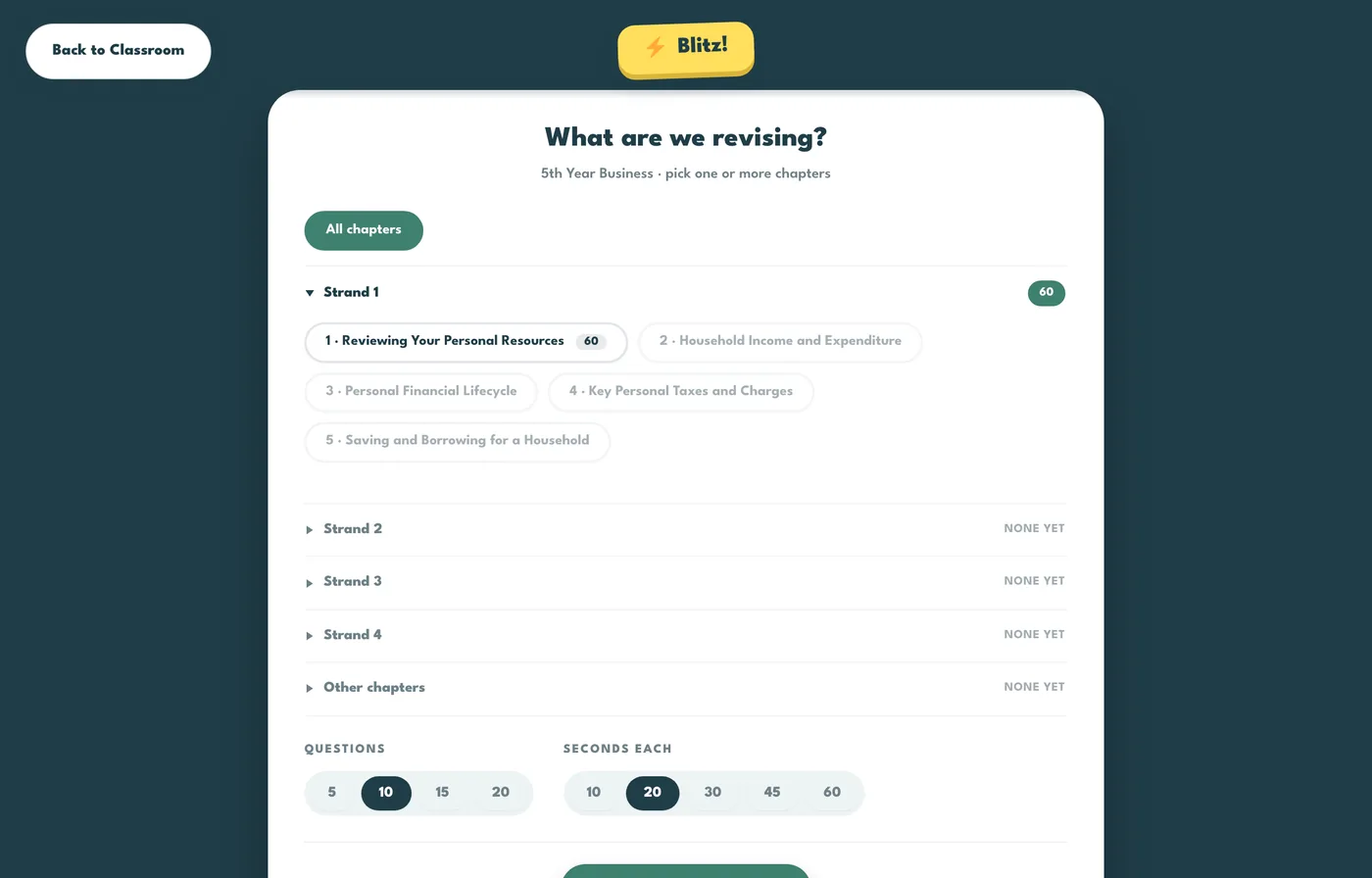
Press Blitz on your classrooms page and pick the class, or press it from inside the class. Choose one or more chapters, how many questions and how many seconds each, and start the waiting room. Students see a Live button on their hub and join on their own devices. Everyone gets the same questions at the same time, right answers pay XP, and the five fastest take a speed bonus. A game you started earlier can be picked up again from the same button.
Blitz and the Exam BuilderWhat is the Exam Builder?
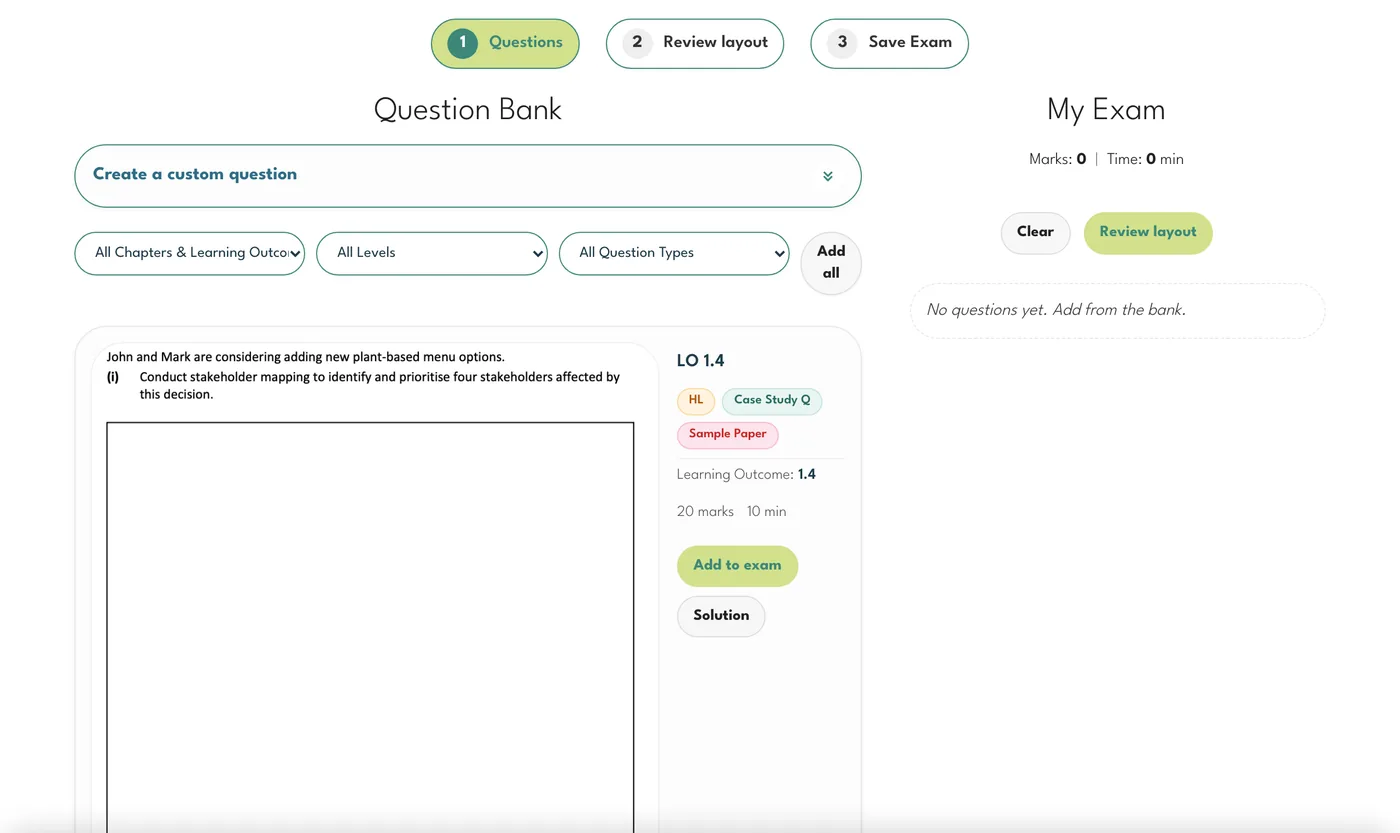
A place to assemble an exam paper from past exam questions, by chapter and topic, with the solutions saved as a second PDF. Save it under My Saved Exams and download it to print. It cannot be set as work on screen, which is why it has its own key at the top rather than sitting inside the Assign panel.
Nothing matches that. Try a different word, or show every question.